
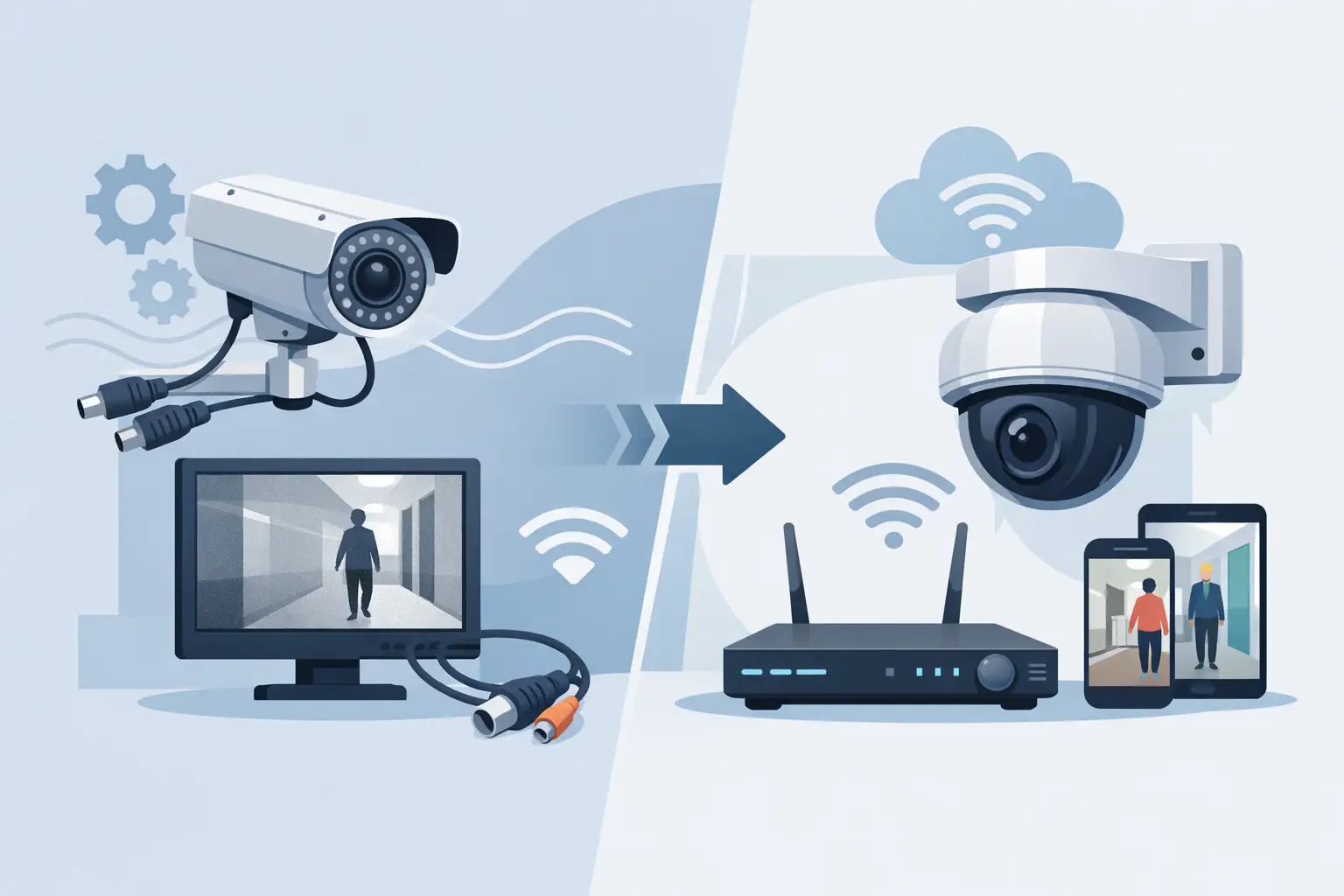

A grainy camera image is more than an inconvenience when an incident occurs. If you cannot identify a face, read a license plate, or verify what happened at a door or loading area, your surveillance system is not doing its job. Knowing how to upgrade analog CCTV can often save money because many older systems can use the coaxial cable already installed throughout the property.
The right upgrade depends on the condition of your existing wiring, the type of recorder you have, the coverage gaps you need to address, and whether remote viewing is a priority. For many homes and businesses, moving to high-definition cameras over coax is the most practical path. For others, a full IP camera system makes better sense. A site assessment should determine which approach delivers reliable protection without paying to replace equipment that still has useful value.
Start With an Inspection of the Existing System
Before ordering cameras or a new DVR, inspect what is currently installed. Most analog CCTV systems use coaxial cable, often RG59, with separate power wiring. The cameras connect back to a central recorder, usually a DVR, where video is stored on a hard drive.
Age alone does not mean the cable must be replaced. Quality coax in good condition can carry modern high-definition video using HD-over-coax technology. However, damaged cable, corroded outdoor connections, loose BNC fittings, poor power supplies, and water intrusion can all create image problems that new cameras will not fix.
A technician should test each cable run, verify power at each camera location, inspect junction boxes, and identify runs that exceed practical distance limits. This is especially valuable at commercial properties, schools, warehouses, and multi-building sites where cable routes may be difficult to access.
Also document camera views before changing the system. Some older camera placements were chosen for basic observation, not identification. An upgraded camera may produce a clearer image, but it cannot capture a useful face if it is pointed too wide, mounted too high, or aimed into direct sunlight.
Choose the Right Path to Upgrade Analog CCTV
There are two primary ways to modernize an older analog system: retain the coax and install HD-over-coax equipment, or transition to an IP network camera system.
Upgrade With HD-Over-Coax Cameras
HD-over-coax systems use existing coaxial cable to support much higher resolution cameras than traditional analog CCTV. Depending on the equipment selected, cameras may use TVI, CVI, AHD, or similar transmission standards. Modern systems can provide 1080p, 4MP, 4K, and other high-resolution options over many existing cable runs.
This option is often the most cost-effective choice when the installed coax is in good condition. It reduces labor, avoids opening walls or ceilings, and allows property owners to improve image quality quickly. A new compatible DVR or hybrid recorder is usually required, since older analog DVRs may not support high-definition formats or larger storage drives.
HD-over-coax is a strong fit for homes, retail stores, offices, small facilities, and properties where cameras already have workable cable paths. It can also be a practical phased upgrade. Cameras can be replaced in priority areas first, such as entrances, cash handling locations, driveways, gates, and loading areas.
Move to an IP Camera System
IP cameras send video across a computer network, typically through Cat5e or Cat6 cable and Power over Ethernet switches. They offer strong flexibility for larger systems, advanced analytics, higher resolutions, and more detailed network management.
An IP upgrade may be the better long-term choice if your coax cable is failing, you are renovating the property, you need many new camera locations, or you want advanced features such as people and vehicle filtering, line-crossing alerts, or integrated access control. It is also useful when a facility has an established network infrastructure that can support the added video traffic.
The trade-off is installation complexity. Network design, switch capacity, bandwidth, cybersecurity, camera addressing, and remote access must all be handled correctly. A poorly designed IP system can become slow, unreliable, or difficult to support. For this reason, an IP installation should be planned by a security contractor with both low-voltage field experience and networking knowledge.
Select Cameras Based on the Area, Not Just Resolution
Higher resolution is useful, but it is not the only factor that determines whether video will be usable. Camera selection should match the purpose of each location.
A wide-angle turret camera may be appropriate for general coverage of a lobby, driveway, or parking area. A tighter lens may be needed at a gate or entrance where identification matters. Varifocal cameras allow the installer to adjust the field of view, which is helpful for long driveways, perimeter areas, loading docks, and building entrances.
Night performance matters just as much as daytime resolution. Look at available lighting, infrared range, vehicle headlights, reflective surfaces, and whether a camera faces a bright door or window. A camera installed under an exterior light may perform very differently from one installed in a dark rear lot.
For outdoor cameras, use weather-rated equipment and properly sealed connections. For indoor cameras, consider the mounting height, ceiling layout, privacy requirements, and potential tampering. At a business or school, coverage should be planned around actual operations: who enters, where assets are kept, how visitors move, and where incidents are most likely to occur.
Replace the Recorder and Plan Storage Properly
A camera upgrade without adequate recording storage is a common mistake. High-definition video uses more storage than older analog footage, particularly when multiple cameras record continuously at higher frame rates.
Your new DVR or network video recorder should support the camera format, resolution, and number of channels you need now, with room for reasonable expansion. A 16-channel recorder may be the right choice for a property with 10 cameras if additional coverage is likely within the next few years.
Storage needs depend on camera count, resolution, frame rate, motion activity, compression settings, and retention requirements. A quiet office hallway can use motion recording efficiently. A busy storefront entrance or school parking lot may generate frequent motion and require more hard drive capacity.
Retention should be based on real needs, not a guess. Many businesses want at least 30 days of accessible footage, while others need longer retention for internal policies, investigations, or public-sector requirements. Use surveillance-rated hard drives designed for continuous recording. Standard desktop drives are not intended for the same workload.
Add Remote Viewing Without Creating a Security Problem
Remote viewing is one of the biggest advantages of an analog CCTV upgrade. A properly configured system can allow authorized users to check live cameras, review recorded footage, and receive alerts from a smartphone, tablet, or computer.
Convenience should not come at the expense of security. Change default usernames and passwords, use strong unique credentials, limit user permissions, keep recorder firmware current, and avoid exposing equipment directly to the internet when a safer remote connection method is available. Separate user accounts are better than sharing one administrator login across an organization.
For businesses, decide who actually needs access. An owner may need full system access, while a manager may only need live views for certain cameras. For homeowners, remote access should be simple enough for daily use but protected from unauthorized logins.
Avoid Compatibility and Installation Shortcuts
Not all cameras, DVRs, connectors, and transmission formats work together. A camera may physically connect to an existing coax cable yet still fail to produce the expected image if the recorder does not support its format or resolution. Hybrid recorders can be useful during a transition, but their channel limitations must be understood before installation.
Power is another frequent issue. Older power distribution boxes may not provide enough stable power for upgraded cameras, especially infrared models at night. Voltage drop on long runs can cause cameras to reboot, lose video, or operate inconsistently. Correct power sizing and clean terminations are part of a dependable installation.
Do not place cameras simply where old cameras were mounted. Reassess the view. A better location, adjusted height, or different lens may provide far more value than adding another camera with the same ineffective angle.
When Professional Help Makes Sense
A do-it-yourself upgrade may be reasonable for a small, accessible system with a few cameras and known-good wiring. It becomes more difficult when the system includes long cable runs, multiple buildings, network integration, poor night images, unreliable power, or a need for consistent support after installation.
ATECH SECURITY LLC designs upgrades around the property and the security objective, whether that means keeping serviceable coax in place or planning a complete transition to IP cameras. Professional installation also provides a clear path for troubleshooting when a camera, recorder, network connection, or remote-viewing feature needs attention later.
Before you replace anything, identify the one moment your current cameras fail you most often: the unreadable plate, the dark rear entrance, the blind spot at the gate, or the footage that is gone when you need it. That answer is the best place to begin building a system that provides useful evidence when it matters.
Comments